Your menu, your line and your regulars, run from one tablet in the truck.
Curbjoy is an ordering app built for food trucks. Customers scan a QR code, order and pay from their phone, and walk up when it's ready. Your crew runs the menu, the queue and the stock from a tablet in the truck, and when something runs out, the menu updates itself.
See Curbjoy in 45 seconds
A customer scans the code, orders and pays, the order lands in the truck, and one tap on the 86 board updates every menu. Sound on.
Play with the whole thing, right here
Order on the customer's phone and watch it land in the truck's queue. Flip an ingredient off on the 86 board and see the menu change. It's all sample data, so go ahead and break it. It resets itself after 15 minutes.
Ordering that feels like the window, minus the line
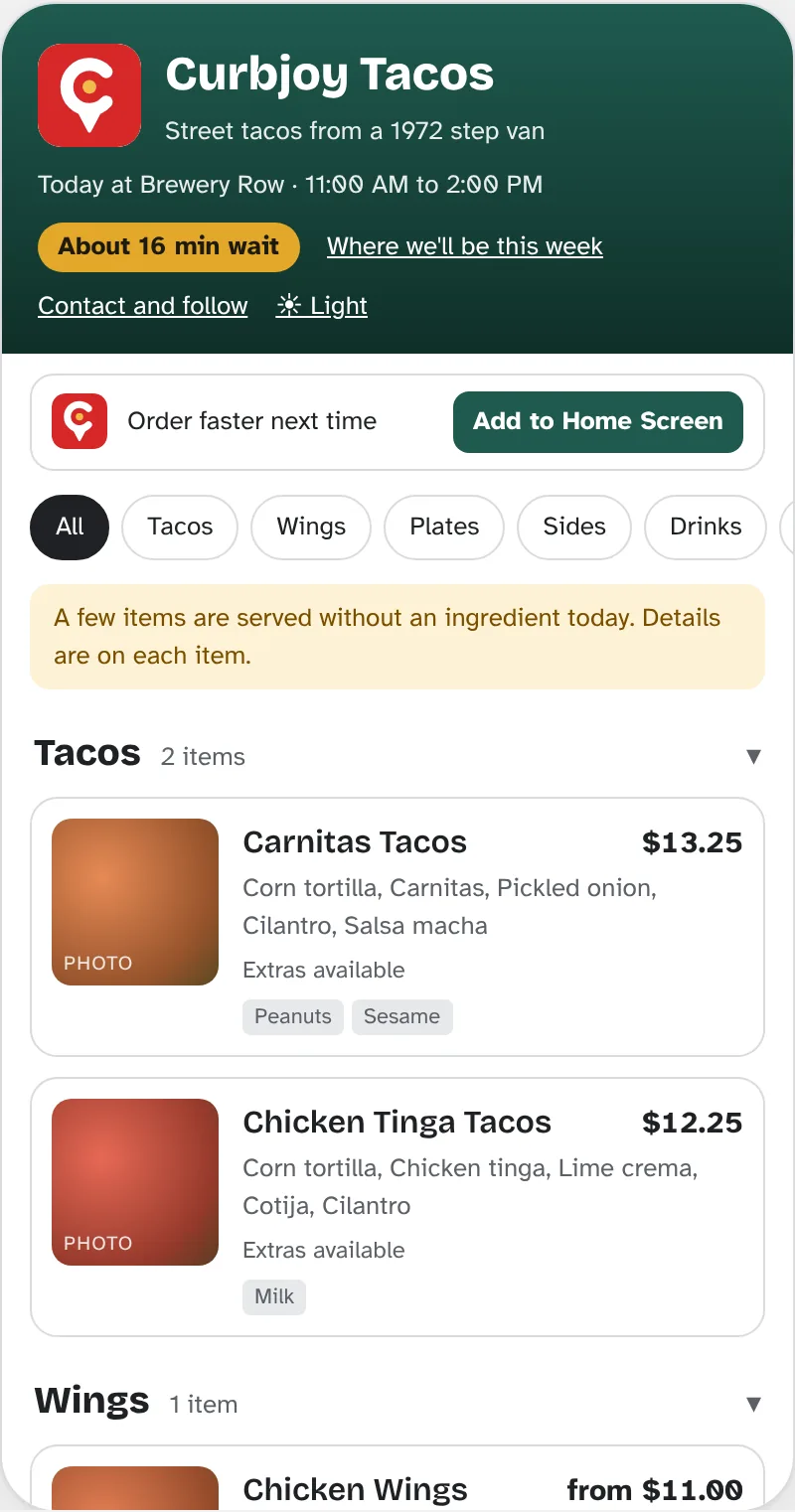
Scan and browse.
Photos, ingredients, allergens and today's prices, straight from a QR code on the truck. No app to download.
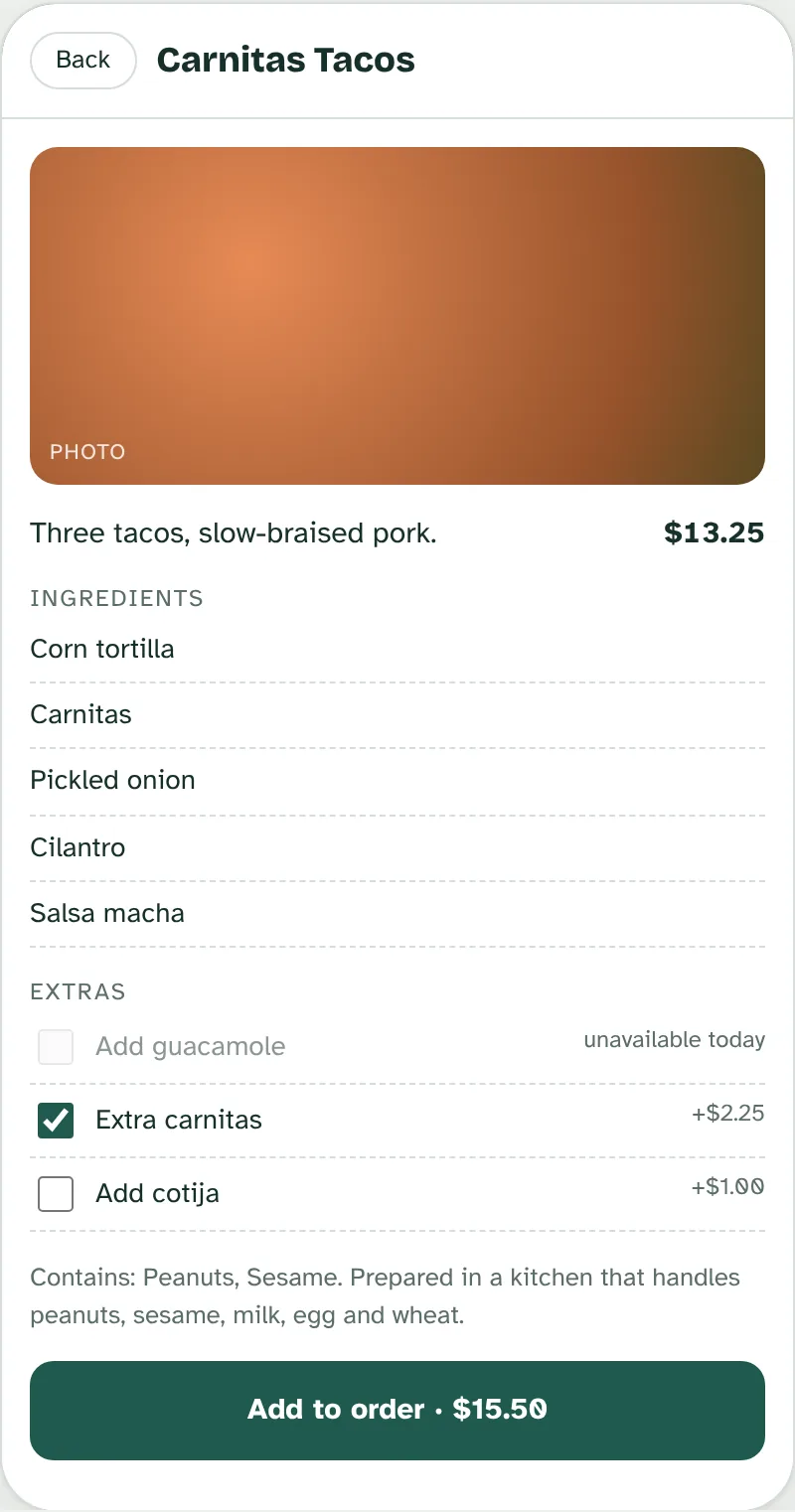
Add the extras.
Extra meat, add guac, make it spicy. Paid add-ons sit right on each item and switch off on their own when the ingredient runs out.
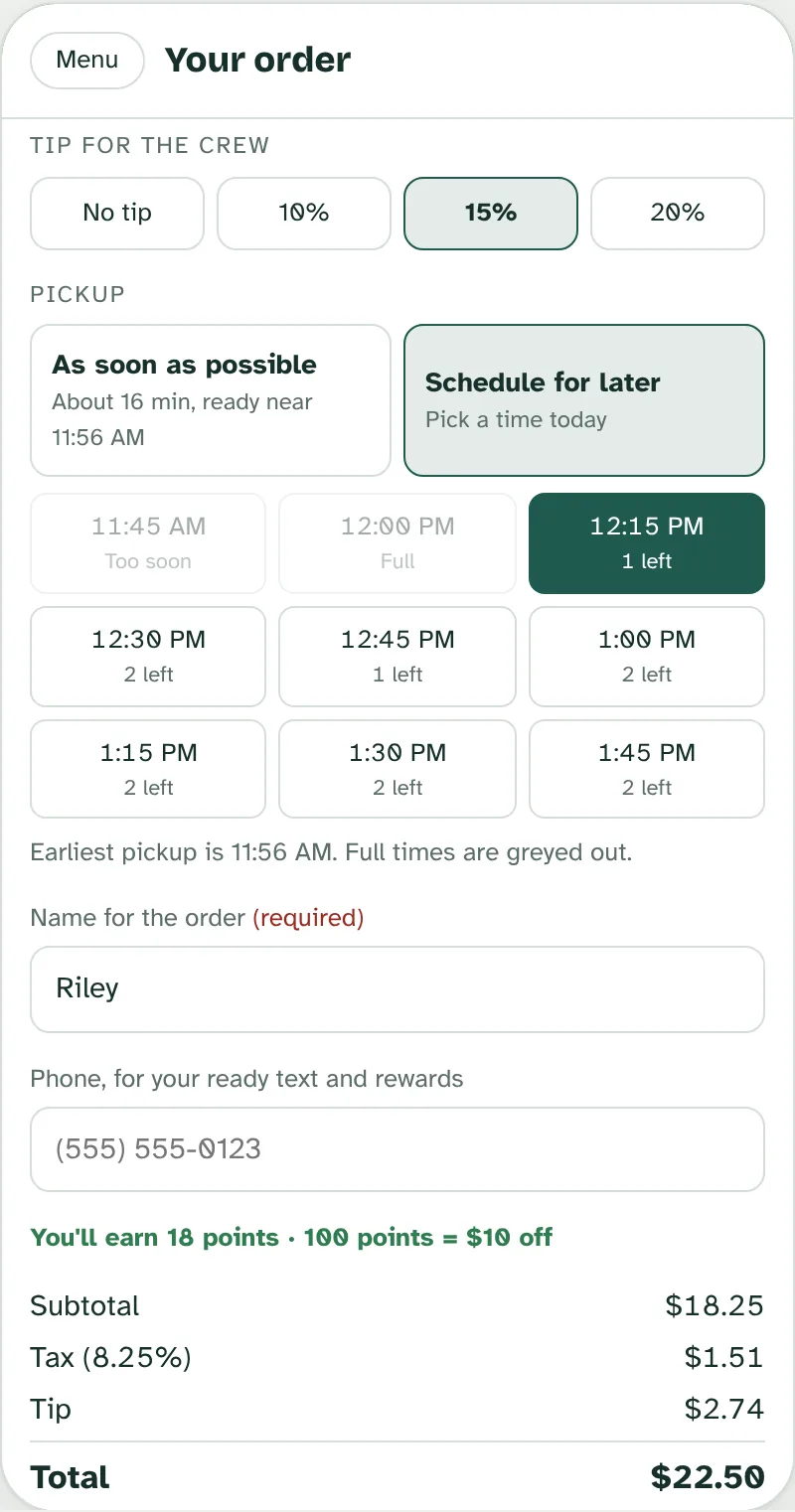
Now, or later today.
Order for as soon as possible with an honest wait time, or pick a 15-minute pickup slot. Full slots are greyed out, so the kitchen never gets buried.
Pay, then get a text.
Customers leave a name for the window and a phone number for their "it's ready" text and reward points.
Run out of something? The menu already knows.
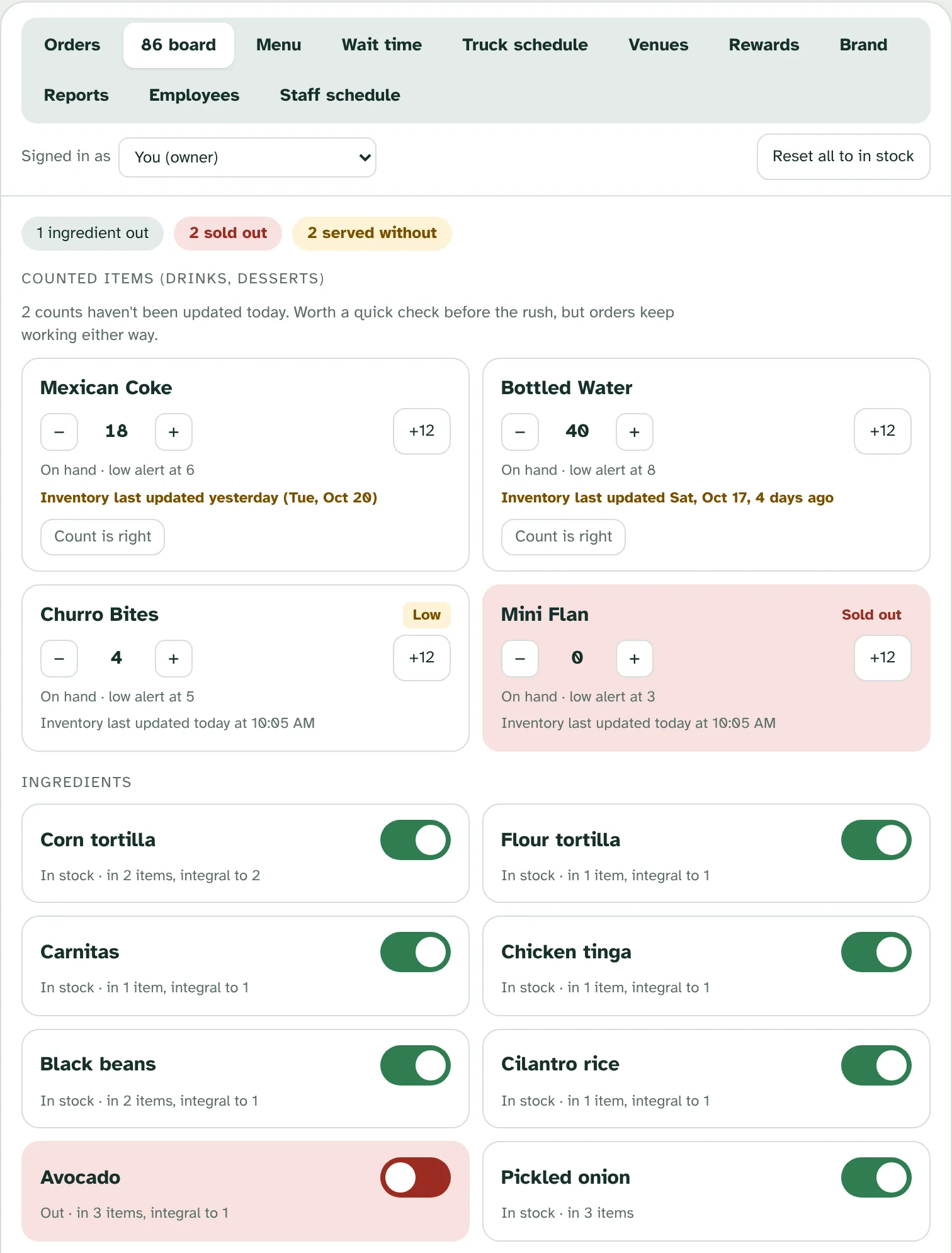
Flip it off.
One tap on the 86 board marks an ingredient out, and every dish that uses it updates at once.
Sold out, or served without.
Each recipe knows which ingredients a dish can't be made without. Out of tortillas? Tacos sell out. Out of cilantro? They're served without it, and the menu says so before anyone pays.
Drinks and desserts, by the count.
Bottles and baked goods count down as they sell, warn you when they're running low, and remind you when the count hasn't been checked in a while.
Allergen labels always follow the full recipe, even when an ingredient is left off, because the kitchen still handles it.
Everything the crew needs, on one screen
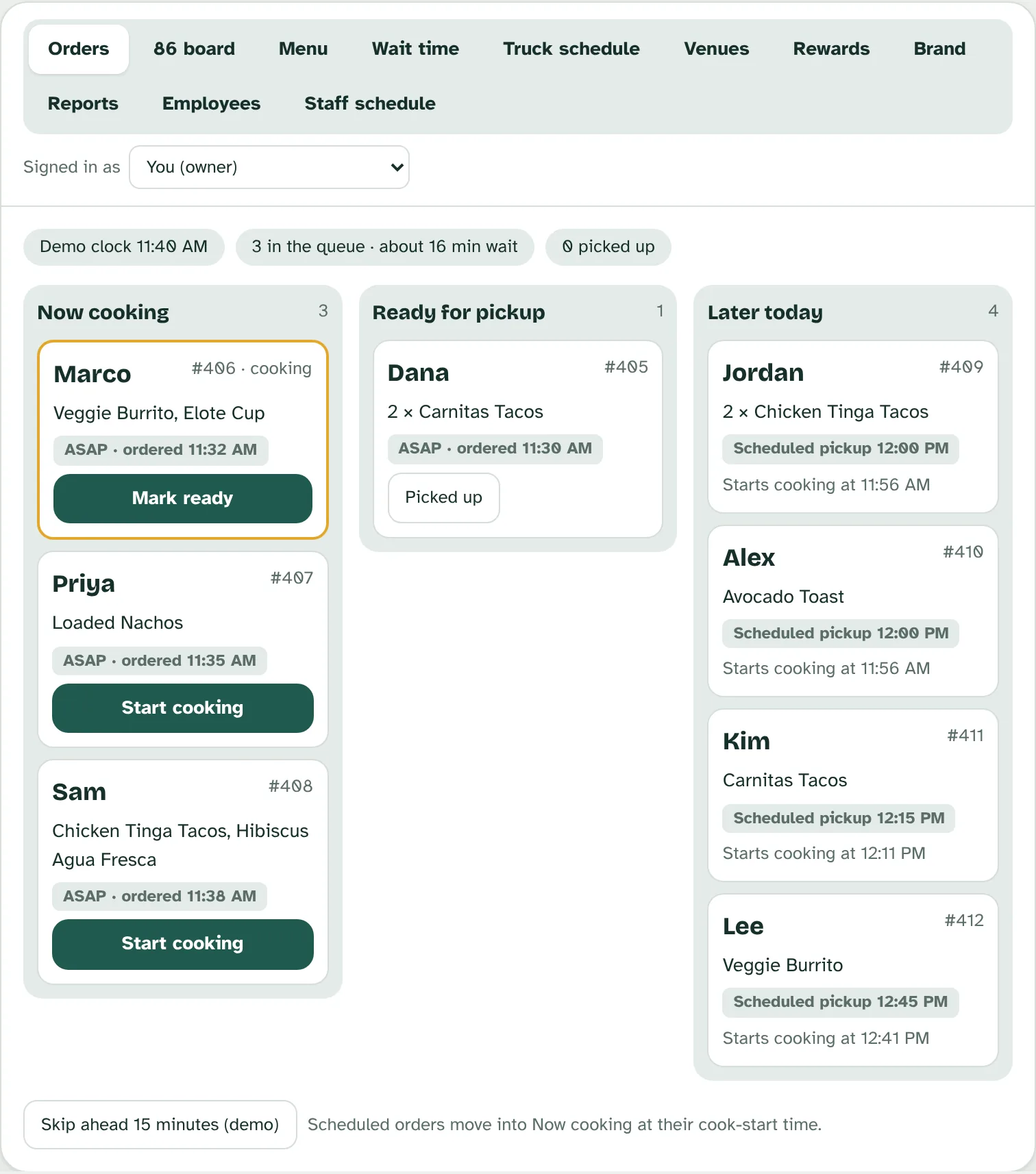
A live order queue
Every order lands as Now cooking, Ready for pickup or Later today. One tap moves it along and texts the customer when it's ready at the window.
Honest wait times
Worked out from your average prep time and the orders ahead, or set by hand when the rush hits. Scheduled orders join the queue right when it's time to cook them.
Your venues and schedule
Brewery on Friday, farmers market on Saturday. Customers see where you'll be all week, and order-ahead follows your serving hours at each stop.
Prices that match the venue
If a venue takes a cut, raise prices there by a percentage or a flat amount. It applies automatically wherever the schedule says you are, extras and drinks included.
Rewards your regulars notice
Points or a punch card, with dollars off or a free item of your choice, plus double-points days when you need a slow day to pick up.
Your brand, everywhere
Your logo, name, phone and socials on every screen. When customers add the menu to their home screen, your logo is the icon.
Know what's working, and what isn't
Pick the last 7, 30 or 90 days and see how they compare to the period before, without a spreadsheet.
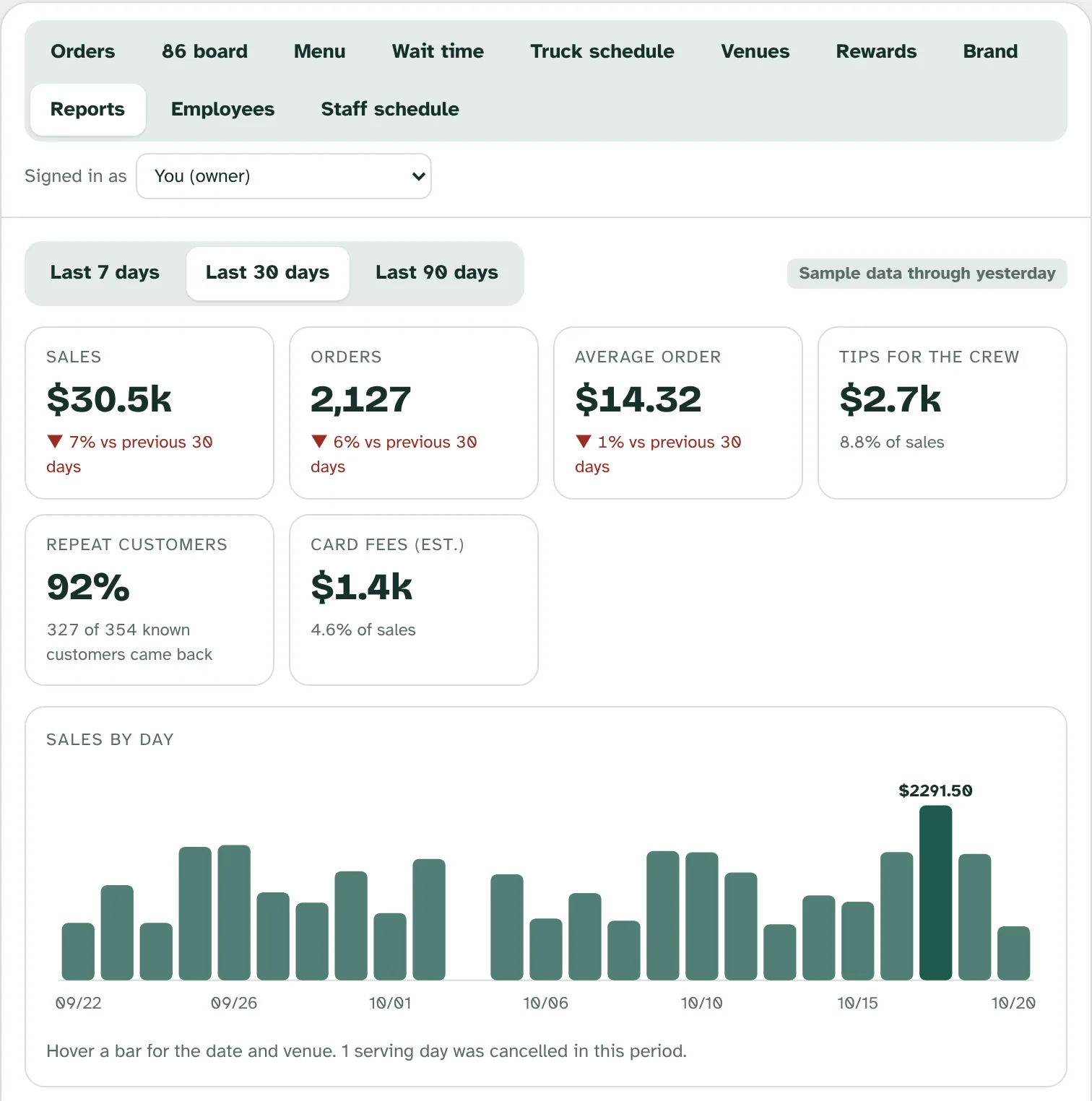
Sales and busiest hours
Sales by day and by hour, so you know when to prep more and when to staff up.
Top sellers and slow movers
What sells, what doesn't, and which items are trending up or down.
Which venues pay off
Sales per hour parked at each stop, so a 3-hour lunch and a 4-hour evening compare fairly.
What running out costs
Every 86 is logged with an estimate of the sales it cost, so you know what to order more of.
Regulars you haven't seen lately
Your best customers, and the ones who've drifted away, ready for a "we miss you" text.
Why trucks use it
- A shorter line.
- Online orders skip the window, and scheduled pickups spread the rush across the service.
- No more "are you out of that?"
- The menu shows what's sold out or served without before anyone pays, so there are no refunds at the window.
- Prices that fit the venue.
- Venue fees and cuts are covered automatically instead of eating your margin.
- Regulars who come back.
- Rewards, ready texts and a menu on their home screen keep you one tap away.
- Nothing to install.
- It's a web page. Customers scan and order, and your crew runs it from any tablet.
Want urbjoy for your truck?
We'll set it up with a custom address just for your truck so you're ready for your next service, starting at just $14.99 a month, or $175 annually.